This llms.txt guide explains everything you need to know about the proposed Markdown file that helps AI systems discover structured information about a website. If you are investing in AI visibility or Generative Engine Optimization (GEO), adding an llms.txt file is a low-effort best practice worth considering.
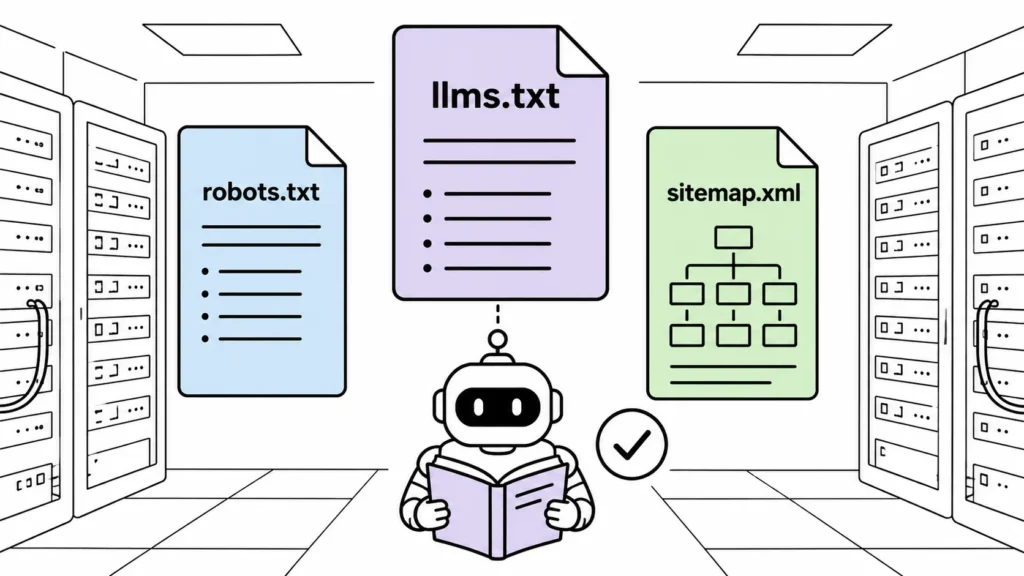
One challenge is this: when an AI retrieval system tries to process a webpage, it parses the same HTML that human visitors see. Navigation menus, ads, cookie banners, JavaScript, and sidebar widgets all compete with the actual content for the model’s limited context window. The signal gets buried in noise.
In September 2024, Jeremy Howard (fast.ai) proposed a simple solution: a plain markdown file at /llms.txt that provides LLM-friendly content about your site. No styling, no navigation, no distractions. Just the information AI systems need.
The official proposal at llmstxt.org defines the specification. Jeremy Howard proposed it on GitHub in September 2024. It is currently an emerging convention rather than an officially adopted web standard. Support varies across vendors and products.
This guide covers what llms.txt is, how it compares to robots.txt and sitemap.xml, and how to create one for the most popular CMS platforms.
What Is llms.txt?
llms.txt is a plain text file placed in the root directory of your website. It uses markdown format to provide a structured overview of your site’s content, designed to be consumed by AI systems.
Think of it as a structured guide for AI systems. Instead of parsing your entire site and guessing what matters, AI retrieval systems can read llms.txt and immediately understand your site’s structure, purpose, and key content.
The proposed format is intentionally minimal:
# Website Name
> Brief description of the website.

## Section name
- [Page title](URL): Brief description of the page.
- [Page title](URL): Brief description of the page.

## Another section
- [Page title](URL): Brief description of the page.
No complex XML, no attributes, no nesting. Just headings, links, and descriptions.
What Is llms-full.txt?
The proposed specification also defines llms-full.txt, which contains the full markdown content of important pages rather than just summaries.
Think of it as:
llms.txt→ Index / table of contentsllms-full.txt→ Full reference document
If your site has documentation, guides, or key product pages, llms-full.txt gives AI systems the complete content without needing to crawl individual pages.
What Is agents.md?
Shopify introduced agents.md alongside its llms.txt support. This file describes AI agents or tools associated with a website, including their capabilities, endpoints, and configuration. While llms.txt focuses on content discovery, agents.md focuses on functionality discovery. It is primarily relevant for Shopify stores and ecommerce sites.
Why llms.txt Matters for AI Search
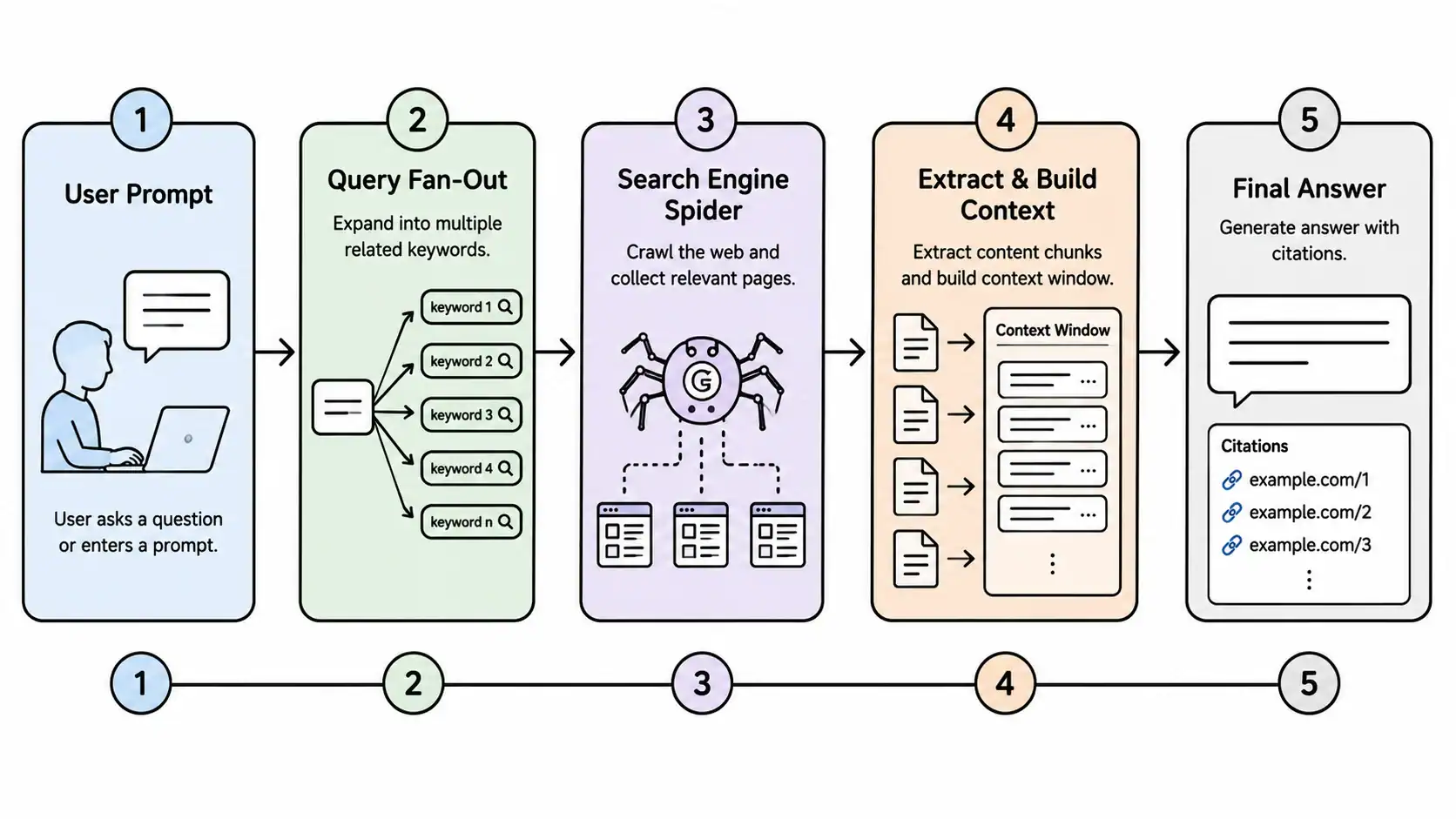
AI search is fundamentally different from traditional search. When a user asks ChatGPT or Perplexity a question, the model synthesizes an answer from its training data and real-time web retrieval. In the retrieval step, the system fetches content from websites.
HTML pages often contain large amounts of navigation, scripts, cookie banners, and template content that can make it more difficult for retrieval systems to identify the most important information efficiently. As noted earlier in this llms.txt guide, the file provides a concise, pre-filtered version of your site that separates the signal from the noise.
| Potential Benefit | Why It Matters |
|---|---|
| More content fits in context | AI can reference more pages from your site in a single response |
| Cleaner signal | No navigation, ads, or widgets competing with your content |
| Faster retrieval | Less parsing means quicker processing |
A well-structured llms.txt file may make it easier for AI retrieval systems to identify important pages, although there is currently no public evidence that it directly improves citations or rankings in AI-generated answers. It is one component of a broader AI visibility strategy alongside high-quality content, structured data, crawl accessibility, and brand authority.
llms.txt vs robots.txt vs sitemap.xml
These three files serve different purposes. Here is how they compare:
| Feature | robots.txt | sitemap.xml | llms.txt |
|---|---|---|---|
| Purpose | Tells crawlers what not to crawl | Lists all pages for search engines | Summarizes content for AI systems |
| Target audience | Search engine bots (Google, Bing) | Search engine bots | AI assistants and AI retrieval systems |
| Format | Plain text | XML | Markdown |
| Location | /robots.txt | /sitemap.xml | /llms.txt |
| Content detail | Rules only | URLs + metadata | Summaries + descriptions |
| Current impact on AI search | Low (AI may follow these rules) | Medium (helps discover pages) | Potentially High (Emerging) |
| Human readable? | Yes | No | Yes |
| Established standard | Yes (RFC 9309) — also documented by Google Search Central | Yes (Sitemaps.org) — also documented by Google Search Central | Emerging (llmstxt.org) |
In short: While robots.txt acts as a barrier to block crawlers and sitemap.xml provides a structural map of your URLs for traditional search engines, llms.txt serves as a semantic summary specifically curated for AI assistants. These files are complementary parts of a modern technical footprint; they do not replace one another.
These files are complementary, not competing. You should have all three.
CMS Adoption: Who Supports llms.txt?
Adoption varies significantly across content management systems. This section of our llms.txt guide covers the current state as of mid-2026.
Timeline
September 2024  →  Jeremy Howard proposes llms.txt
Late 2024       →  First WordPress plugins appear
2025            →  Growing community adoption
2026            →  Shopify introduces built-in templates
WordPress
WordPress currently has one of the most mature llms.txt plugin ecosystems. A rapidly growing number of plugins are available, and several WordPress plugins already support llms.txt generation while broader ecosystem adoption continues to grow.
Notable plugins include:
- LLMs.txt and LLMs-Full.txt Generator by visibility.so — 4,000+ active installations (WordPress.org) or Pro version
- Website LLMs.txt by Ryan Howard — 40,000+ active installations on WordPress.org
- JumpsuitAI — llms.txt generation with SEO plugin integration
If you use WordPress, this llms.txt guide recommends using a plugin to complete setup in under five minutes.
Disclosure: We built the visibility.so plugin ourselves. We recommend it because it automates generation and maintenance, but any standards-compliant generator works.
Shopify
Shopify now provides built-in theme templates for llms.txt, llms-full.txt, and agents.md, allowing merchants to customize these files without third-party apps.
This was announced in the Shopify Developer Changelog and documented in their theme architecture docs and agents.md documentation. Shopify merchants can customize these files through their theme settings without needing third-party apps.
This makes Shopify one of the first major platforms to adopt llms.txt at the platform level.
Note: Although Shopify has adopted these templates, support among AI vendors remains independent. Publishing an llms.txt file does not guarantee that every AI assistant will retrieve or prioritize it.
Wix, Squarespace, Webflow
No native, automated support for llms.txt exists on these platforms at the time of writing. Because these closed-ecosystem website builders do not allow users to upload arbitrary plain-text assets directly to the root directory (e.g., yoursite.com/llms.txt), you must use manual routing workarounds.
The 301 Redirect Workaround
If you are running a business on Wix, Squarespace, or Webflow, you can still leverage AI optimization by serving the file via a redirect mapping:
- Host the Document: Create your
llms.txtfile using a standard text editor and host it as a public asset (e.g., via GitHub Pages, a file upload asset manager on your CMS, or an external AWS S3 bucket). - Configure the Redirect: Go to your platform’s URL redirect management settings.
- Webflow: Go to Site Settings > Publishing > 301 Redirects.
- Squarespace: Go to Settings > Advanced > URL Mappings.
- Wix: Go to SEO Tools > URL Redirect Manager.
- Map the Paths: Set the old path exactly to
/llms.txtand point the destination path to the absolute URL of your hosted text file.
While this solution isn’t native, if an AI system follows HTTP redirects during retrieval, this approach may allow it to reach your hosted llms.txt file. However, there is currently no public documentation confirming that all AI systems will follow redirected llms.txt files.
Custom HTML Sites
Creating llms.txt for a custom site is as simple as placing a file in the root directory.
| CMS | Native Support | Plugin/App Available | Ease of Setup |
|---|---|---|---|
| WordPress | No (plugin needed) | Yes (growing ecosystem) | Easy |
| Shopify | ✅ Yes (built-in templates) | Not needed | Easy |
| Wix | No | No | Difficult |
| Squarespace | No | No | Difficult |
| Webflow | No | No | Moderate (custom code) |
| Custom HTML | Manual | Not needed | Easy |
Which AI Platforms Support llms.txt?
This is one of the most common questions. Here is the current state:
| Platform | Official llms.txt Support | Notes |
|---|---|---|
| ChatGPT | Not officially confirmed | May access via web retrieval, but OpenAI has not publicly committed to supporting llms.txt |
| Claude | Not officially confirmed | No public documentation confirming support |
| Gemini | Not officially confirmed | No public documentation confirming support |
| Perplexity | Not officially confirmed | No public documentation confirming support |
| Shopify | ✅ Yes | Generates llms.txt, llms-full.txt, and agents.md templates |
| WordPress | Plugin ecosystem | Community-driven support through plugins |
Key Takeaway: As of mid-2026, major AI platforms primarily use standard web retrieval to parse data, meaning they have not yet designated llms.txt as an exclusive or guaranteed ranking signal. Adding the file ensures that when an AI crawler does visit, it consumes your site’s core purpose efficiently without drowning in HTML boilerplate.
How to Create One?
-
Step 1: Identify Your Critical Core Pages
Do not make the mistake of treating this file like a complete website sitemap. Your sitemap is built to handle complete indexing, whereas yourllms.txtfile serves strictly as a high-level conceptual summary for AI models.
Before typing a single line, sit down and list the absolute high-value pages that define your website’s primary purpose. Focus your selection exclusively on your homepage, core service or product offerings, documentation hubs, about page, and primary contact channels. Limiting the scope ensures AI crawlers grab the context they need without getting lost in minor blog posts or utility pages. -
Step 2: Write Your Structured Markdown File
Create a plain text file named exactly llms.txt. Use a clean, standardized Markdown format starting with your website name as a main heading, followed by a one-sentence blockquote describing your brand. Group your selected core pages under clear secondary headings, utilizing absolute URLs and concise, one-to-two sentence descriptions for each link to completely eliminate promotional fluff.
Use this as a sample format.
# Your Website Name > One sentence description of your website.
## About
– [Homepage](https://example.com/) Brief description of what you do.
– [About us](https://example.com/about): Your background and mission.
## Products
– [Product name](https://example.com/product/): What this product does and who it is for.
## Contact
– [Contact page](https://example.com/contact/): Email, phone, or form.
Best practices:
✅ Use absolute URLs
✅ Keep descriptions concise (1-2 sentences)
✅ Remove marketing fluff
✅ Update it regularly
✅ Keep the structure organized
❌ Don’t duplicate your sitemap
❌ Don’t include every page — only the most important ones -
Step 3: Upload the File to Your Site's Root Directory
Publish the file live by placing it directly into the public root folder of your server. If you are using WordPress, you can upload it manually via an FTP client or an absolute file manager plugin so that it sits alongside your robots.txt file. If you are on Shopify, use the theme editor to create the dedicated template, which handles the pathing automatically. -
Step 4: Verify the Public Resolution and Formatting
Visithttps://yoursite.com/llms.txtin your browser. Check for:
HTTP 200 status (not a redirect or 404)
UTF-8 encoding
Markdown renders correctly as plain text
No redirects — the file should serve directly -
Step 5: Test the Retrieval Impact on AI Assistants
Test how an AI assistant describes your site before and after adding llms.txt:
Before: Ask an AI assistant: “What does [your site] do?” Note the response quality.
After: Add llms.txt and ask the same question. Compare whether the response is more accurate and complete.
This before-and-after comparison is the best way to evaluate whether llms.txt is making a difference for your site.
Does llms.txt Improve Rankings?
This is one of the most common questions, and the honest answer is: there is currently no evidence that simply adding an llms.txt file improves Google rankings or guarantees mentions in AI-generated answers.
Crawl accessibility is part of the traditional SEO foundation that llms.txt builds on. Think of llms.txt as improving machine readability rather than acting as a ranking signal. Its value is likely highest when combined with:
- High-quality content
- Structured data (JSON-LD, schema markup)
- Crawl accessibility
- Overall site authority and backlink profile
- Traditional technical SEO fundamentals as outlined in Google Search Central
llms.txt removes a technical barrier. It does not replace the need for strong content and authority.
Should Every Website Have One?
| Recommended | Lower Priority |
|---|---|
| Content-heavy websites | Small brochure websites |
| SaaS products | Temporary landing pages |
| Ecommerce stores | Personal portfolios with minimal content |
| Documentation sites | — |
| Companies investing in AI visibility | — |
For WordPress Users: The Plugin Approach
If you use WordPress, the simplest way to manage llms.txt is through a dedicated plugin. The LLMs.txt and LLMs-Full.txt Generator (free, built by our team at visibility.so) or the Pro version automatically:
- Generates
llms.txtandllms-full.txtfrom your site content - Integrates with Yoast SEO and Rank Math metadata
- Updates automatically when you add new pages or posts
The plugin has 4,000+ active installations on WordPress.org. It takes under two minutes to set up.
Disclosure: We built this plugin ourselves. Any standards-compliant generator works, but we recommend ours because it automates maintenance.
How llms.txt Connects to Your AI Visibility Strategy
Creating an llms.txt file is the technical foundation. But it is only one component of a broader AI visibility strategy alongside high-quality content, structured data, crawl accessibility, and brand authority.
AI systems that choose to consume llms.txt can access a structured summary of your content more efficiently. The next step is to track whether your investment in AI readiness is paying off.
That is where visibility.so comes in. The same platform that powers our WordPress llms.txt plugin offers AI Visibility monitoring. It tracks your brand across all four major AI engines and shows you exactly which prompts surface your content.
For a broader look at how AI is reshaping search, read the articles What is Agentic SEO & Agentic SEO guide, How AI search engines work.
Frequently Asked Questions
Is llms.txt the same as robots.txt?
No. robots.txt tells crawlers what not to access. llms.txt tells AI systems what your site is about. They serve different purposes and both are useful.
Does llms.txt guarantee my site will be cited by AI?
No. There is currently no public evidence that llms.txt directly improves citations or rankings in AI-generated answers. It improves machine readability, which may help, but it is not a guarantee.
Does Google use llms.txt?
Google has not officially confirmed llms.txt support. The specification is designed primarily for AI assistants and AI retrieval systems.
Does ChatGPT support llms.txt?
OpenAI has not publicly confirmed whether ChatGPT consumes llms.txt. It may access the file through web retrieval, but there is no official documentation confirming support.
Does Claude support llms.txt?
Anthropic has not publicly confirmed llms.txt support for Claude.
Does Perplexity use llms.txt?
Perplexity has not publicly confirmed llms.txt support.
Can I have both llms.txt and sitemap.xml?
Yes. sitemap.xml helps traditional search engines discover your pages. llms.txt helps AI systems understand your content. You should have both.
Can llms.txt replace structured data?
No. Structured data (JSON-LD, schema markup) provides specific context for search engines. llms.txt provides a broader content overview for AI systems. They serve different purposes.
Should I include every page in llms.txt?
No. Include only your most important pages. llms.txt is a guide, not a complete index. Your sitemap already handles full page discovery.
Does Shopify support llms.txt?
Yes. Shopify provides built-in theme templates for /llms.txt, /llms-full.txt, and /agents.md. See the Shopify developer documentation for details.
How often should I update my llms.txt file?
Update it whenever your site structure changes significantly. For most sites, a quarterly review is sufficient.
Does llms.txt work with WordPress?
Yes. WordPress has a growing llms.txt plugin ecosystem. You can use a plugin or upload the file manually.
Found this useful? Share it with someone still optimizing only for Google. Follow @sanjayshankarr for more on AI search optimization.