Quick answer: SEO traffic drop alerts only help if they fire rarely and mean something. In Visibility.so I built SEO Watch: cheap scheduled checks that run between the SEO Manager agent’s wake-ups. When a check trips, it records an alert with evidence, wakes the SEO Manager, which explains the problem in plain words and proposes a fix. I approve the fix before anything changes. Each alert is sent once and stays quiet until the check passes again.
The SEO Manager agent in Visibility.so wakes up on its own, does its work and goes back to sleep. That is fine for planning. It is not fine for noticing that a site went down at 2 am, or that someone shipped a noindex tag on a Friday.
The gap between wake-ups is where problems hide. SEO Watch is how I closed it. This post covers what it checks, why I picked the thresholds I did, and what I would do differently.
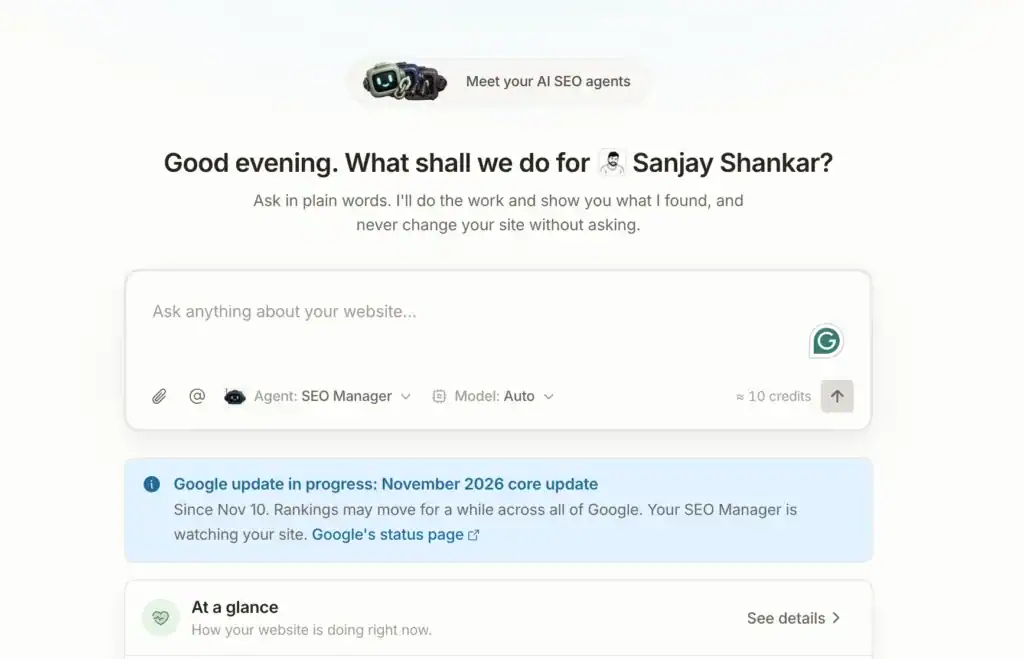
Google’s Search Status Dashboard lists the November 2026 core update as starting on 10 November. Weeks like this are exactly when you want something watching the numbers while you are busy.
What problem does SEO Watch solve?
It solves the blind spot between agent runs. An SEO agent that only acts when it wakes up can’t notice something breaking in the meantime.
The fix I chose is not a smarter agent. It is a set of small, cheap, scheduled checks for each website. Each check does one thing: compare a number to a rule. Nothing is “thinking” until a rule trips.
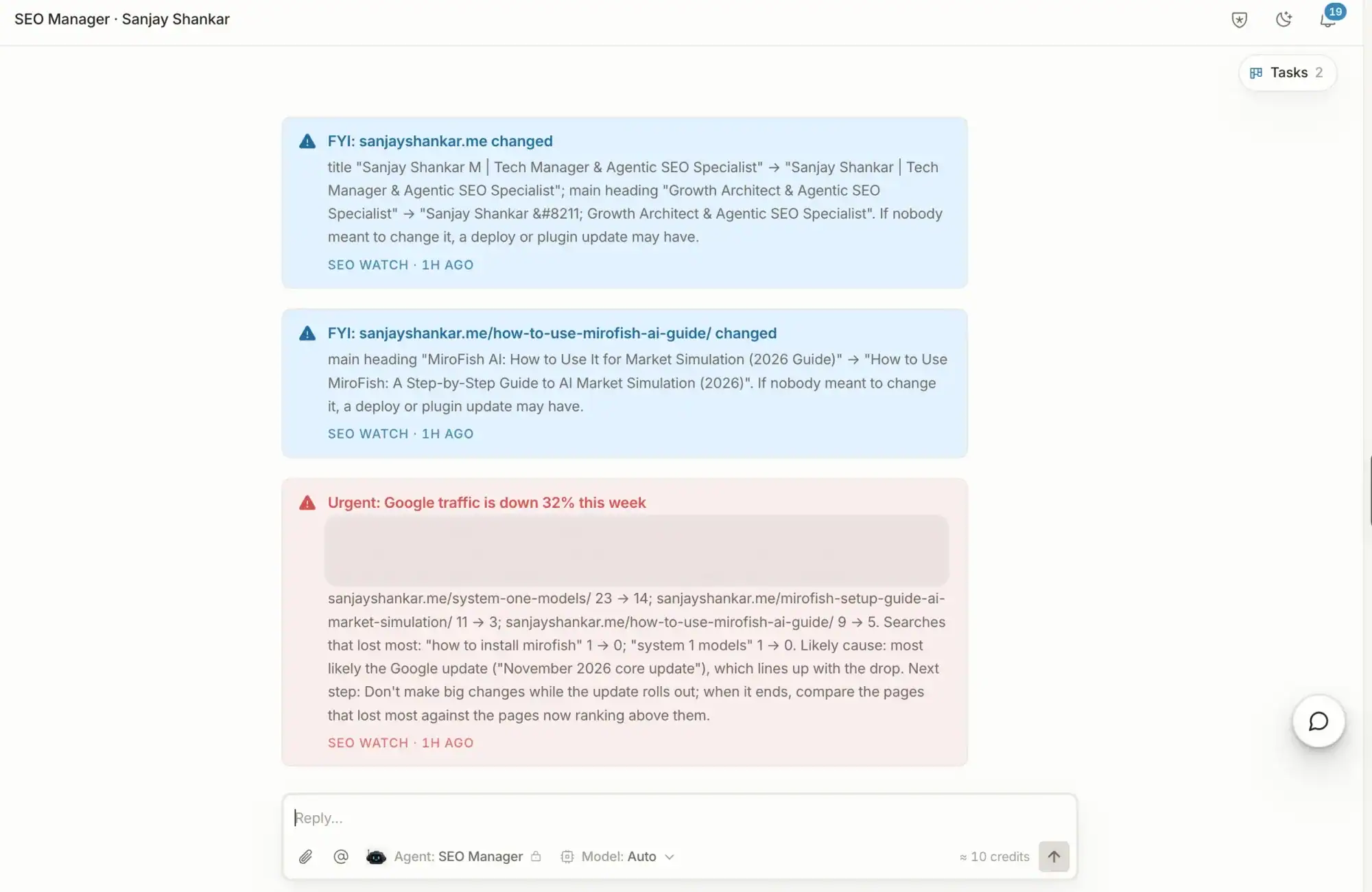
When one trips, SEO Watch writes an alert. The alert records four things:
- What broke.
- When it was spotted.
- How bad it is.
- Evidence, so I can check the claim myself.
Then it wakes the SEO Manager. The agent reads the alert, explains it in plain language and proposes a fix. For the background on how agents like this fit together, see what agentic SEO is and my notes on the SEO agent.
Why do alerts have three severity levels?
An alert that doesn’t say how urgent it is just adds to the noise. Every SEO Watch alert is labelled with one of three levels:
| Level | What it means | What I should do |
|---|---|---|
| Urgent | Something is badly wrong now | Act today |
| Warning | Something is drifting the wrong way | Look at it this week |
| Info | Worth knowing, not worth worrying about | Read it, no action needed |
The labels let me decide in two seconds whether to stop what I’m doing. If everything were “urgent”, I would stop reading any of it.
Which checks run, and how often?
There are five families of checks, labelled A to E. Here is what each covers.
| Family | What it watches | Examples |
|---|---|---|
| A. Traffic and rankings | Clicks, pages, keywords | Sudden drop, single-day collapse, top page loses half its clicks, keyword leaves the top 10 |
| B. Indexing and crawling | Whether Google can reach and index the site | robots.txt blocking /, noindex on key pages, pages falling out of the index, site down, SSL problems, broken sitemap |
| C. Backlinks | Link profile health | Spam-score jump, link spike, lost high-authority links |
| D. Site health | Signs of damage or regressions | Hacked or spam content, brand disappearing from results, Core Web Vitals getting worse, title, meta or H1 changed on a key page |
| E. Competitors and AI | Relative position | A competitor overtaking us on a top-3 keyword, AI mention rate falling 20 or more points week over week |
Not every check needs to run at the same speed. A site being down matters within hours. A Core Web Vitals slide does not. So the schedule looks like this:
| How often | Checks |
|---|---|
| Every 3 hours | Site up, SSL valid |
| Daily | robots.txt, noindex, canonicals, 404s, sitemap, key-page changes, traffic, tracked keywords, AI mentions |
| Daily | URL Inspection of 25 top pages |
| Every 3 days | Backlinks |
| Weekly | Core Web Vitals |
A site that is down, or an SSL certificate that has gone invalid, only alerts after two failures in a row. One failed request is often a blip. Two in a row is a pattern.
Why did I start with Search Console?
Because it is free, and because it counts the thing I care about: Google search clicks.
Search Console data doesn’t depend on a cookie banner. If a visitor declines tracking, GA4 may never see the session. Search Console still counts the click. That makes it a steadier base for a “did traffic fall?” question.
GA4 organic sessions are the fallback. SEO Watch uses them only if Search Console isn’t connected for that site.
Cost was the second reason. Most checks reuse data the platform already fetches, or use free sources. The checks cost little, so I can run them often without worrying about credits. The one exception is backlinks. Those come from a paid data source, so they run every 3 days and are charged to the customer’s credits.
I wrote more about keeping agent spending in check in AI agent budget control. The same principle applies here: cheap checks first, expensive ones only when the cheap ones say it’s worth it.
Why -30% and a 50-click floor?
The main traffic check (A1) compares the last 7 days of clicks with the previous 28 days. It alerts when clicks are 30% or more below, and at least about 50 clicks a week are at stake. Days of the week are matched, so a quiet Sunday is compared with quiet Sundays.
I picked 30% because smaller dips are normal. Traffic wobbles week to week for reasons that have nothing to do with your site. A tool that alerts on a 10% dip teaches you to ignore it.
I added the 50-click floor because of small sites. Imagine a page that gets 10 clicks a week and then gets 5. That is a 50% drop, and it is also nothing. Without a floor, small sites would produce alerts that look scary and mean little.
Other traffic checks catch different shapes of trouble:
- A2, single-day collapse: a day 60% below the median for the same weekday over four weeks. This catches sharp breaks that a 7-day average smooths over.
- A3, top page loses half its clicks: your best page is down 50% week over week.
- A4, keyword drop: a tracked keyword leaves the top 10, or falls 10 or more places.
- A5, CTR falls but impressions don’t: impressions steady, click-through rate down 30%. This is often an AI answer taking the clicks.
- A6, Google-update context: adds Google-update context, so I can read the other alerts with that in mind.
These numbers are a starting point. I decided to tune them from real alerts rather than pretend I knew the right values up front.
Why does an alert fire once, then go quiet?
Because repeated alerts get muted. If the same warning shows up every morning, you stop seeing it.
So each alert is sent once. It stays open while the check keeps failing. When the check passes, the alert closes with a “back to normal” message. That closing message matters as much as the first one. It tells me the problem is over without making me go and check.
Alerts go to the website’s Main chat. They are also texted over iMessage to anyone with a linked phone. I chose that over the notification bell and over email on purpose. A bell is easy to miss, and email gets buried. A text from the tool I’m already working in is harder to ignore.
Why does the agent ask before fixing anything?
Because the cost of a wrong fix is higher than the cost of a short delay.
When an alert wakes the SEO Manager, the agent does three things. It explains what happened in plain words. It proposes a fix. Then it asks for approval through a confirm card. Nothing changes on the site until I tap approve. That is the same rule as the rest of Visibility.so: nothing goes live until you approve it.
The backlink checks follow an even stricter rule. If a spam-score jump trips an alert, the agent never disavows links by itself. A bad disavow can take a long time to undo, so a person makes that call.
For a look at one kind of alert in detail, see what to do when your GEO visibility score drops. That post covers AI visibility scores. SEO Watch’s check E covers the same signal as one alert among many.
What are the trade-offs?
There are a few, and I would rather list them than hide them.
- Search Console lags. Its data usually runs a day or two behind. SEO Watch can catch a traffic problem on the day the data lands, not the day the problem starts. The 3-hourly site and SSL checks don’t depend on Search Console, so they aren’t affected by the lag.
- Thresholds need tuning. -30% and 50 clicks are my starting guesses. Some sites will need tighter rules and some looser ones. I’ll adjust them from real alerts, not from theory.
- Small sites are noisy. Even with a floor, a site with a few hundred clicks a month will have random swings. The floor helps. It does not fix it.
- Cheap checks are blunt. A rule that compares two numbers can’t tell you why. That is why the agent explains and proposes after the alert, instead of the check trying to be clever.
- It can only see what it’s connected to. A check on data you haven’t connected can’t run.
What would I do differently?
Three things, if you are building something similar.
First, define severity levels before you write the checks. If you label urgency afterwards, you end up re-reading every check and asking “is this really urgent?”
Second, design the “back to normal” message at the same time as the alert. It is easy to treat the closing message as an afterthought. It’s what stops people re-checking.
Third, start every threshold looser, then tighten. Missing a small problem for a week is a cheaper mistake than teaching someone to mute alerts in week one. That is the plan for SEO Watch: tune from real alerts. I’m not publishing results yet, and I’ll share real numbers once I have them.
What this means for your own site
You don’t need Visibility.so to borrow the ideas. Whatever you use, apply these rules:
- Compare like with like: same weekdays, not just last week versus this week.
- Set a minimum volume before alerting.
- Alert once, then close the alert when it’s resolved.
- Rank alerts by urgency.
- Never let automation make an irreversible change without a person saying yes.
If you want the wider picture of where this fits, my piece on agentic SEO and AI search in 2026 covers why monitoring is becoming part of the job.
Frequently Asked Questions
What are SEO traffic drop alerts?
SEO traffic drop alerts are automatic warnings that fire when your organic search traffic falls past a set threshold. In SEO Watch, the main one triggers when the last 7 days’ clicks are 30% or more below the previous 28 days, with at least about 50 clicks a week at stake.
Why use Search Console instead of Google Analytics for traffic alerts?
Search Console counts Google search clicks directly and doesn’t depend on a cookie banner. GA4 organic sessions can miss visitors who decline tracking. SEO Watch uses GA4 only when Search Console isn’t connected.
How fast does SEO Watch spot a problem?
It depends on the check. Site-up and SSL checks run every 3 hours. Traffic, keywords, robots.txt, noindex, sitemap and AI mentions run daily. Core Web Vitals run weekly and backlinks every 3 days. Search Console data can lag by a day or two.
Why did my traffic suddenly drop?
Common causes are a technical break (a blocked robots.txt, a stray noindex, the site being down), a ranking change, or a Google update. During the November 2026 core update, which began on 10 November, check the update context before assuming your site is at fault.
Will SEO Watch fix problems on its own?
No. The SEO Manager explains the alert and proposes a fix, then asks for approval through a confirm card before changing anything. It never disavows backlinks by itself.
Will I get the same alert every day?
No. Each alert is sent once and stays open until the check passes. Then it closes with a “back to normal” message.