Technical SEO audits should be automated. Not because humans are bad at them – because they’re too slow. AI agents can speed up this process.
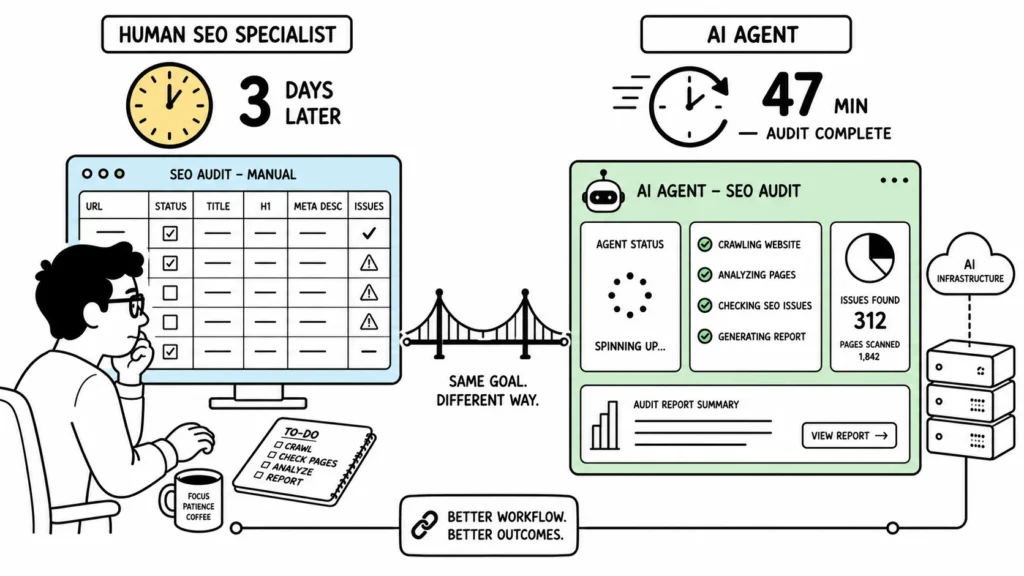
A thorough technical audit of a mid-sized site (5,000–10,000 pages) takes a skilled SEO specialist roughly 2–3 days. By the time the report is delivered, the crawl data is already a week old. By the time the dev team acts on it, the findings are stale.
Tools like Screaming Frog and Sitebulb solved the crawling problem, but left the rest of the workflow untouched — downloading reports, analyzing issues, prioritizing fixes, assigning tasks, following up. Each step is manual. Each handoff loses context.
We built visibility.so’s audit agents to solve one specific problem: close the gap between “here’s what’s broken” and “it’s being fixed.”
Here’s how they work.
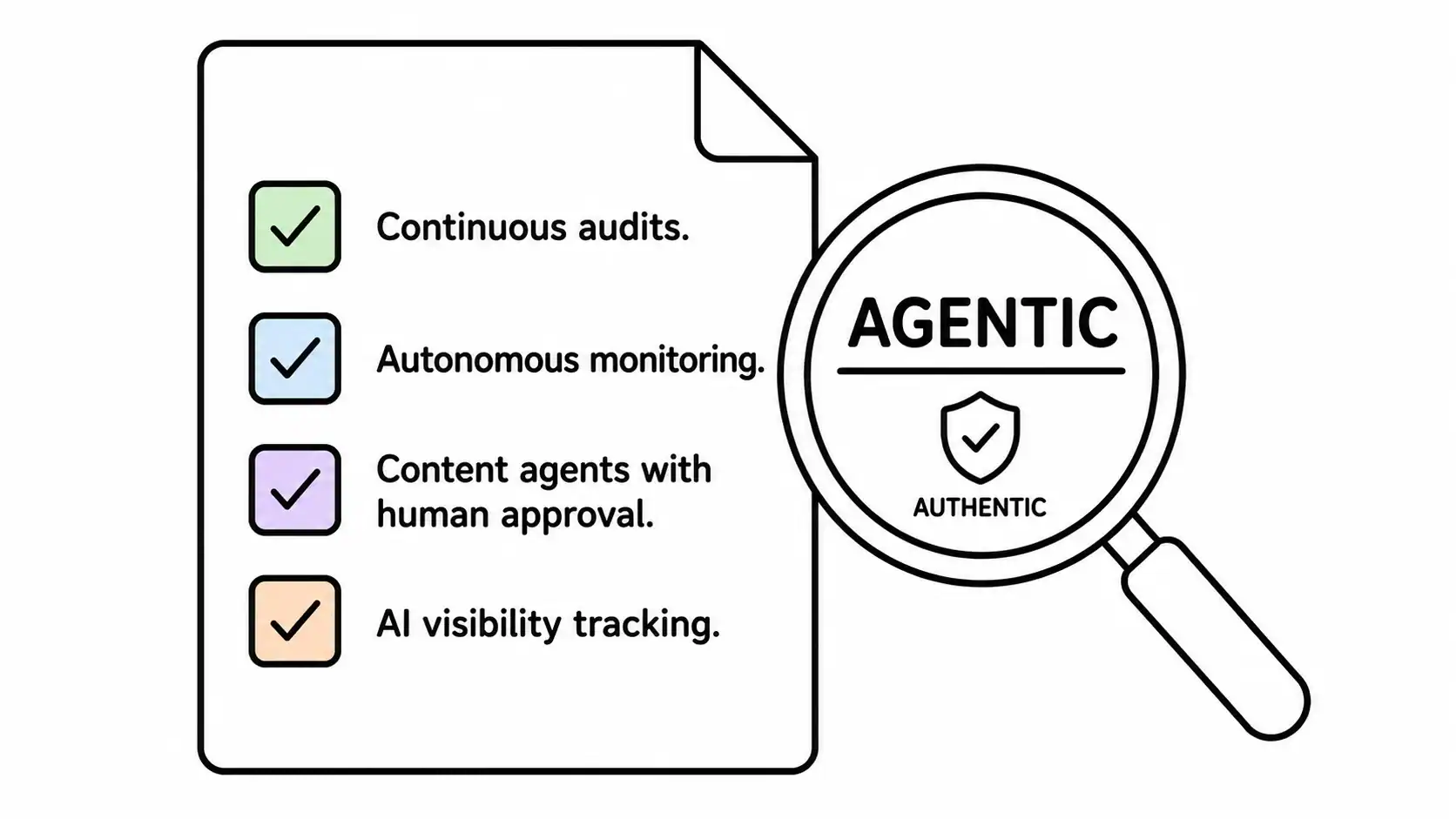
This is a core part of what we call Agentic SEO — read the full framework here.
The Problem: Audits Don’t Scale
Most SEO teams follow a familiar pattern:
- Run a desktop crawler — manual trigger, one-time export
- Open the CSV in a spreadsheet
- Manually prioritize issues by severity
- Copy-paste findings into a task tracker
- Assign tasks to developers via Slack or email
- Follow up repeatedly
- Re-crawl a month later to verify fixes
That’s 7 steps for a single audit cycle. Half of them are administrative — not analytical.
| Bottleneck | What It Costs You |
|---|---|
| Desktop-only tools | Can’t schedule recurring crawls |
| CSV exports | Issues sit in files, not in your workflow |
| Manual prioritization | 2–4 hours per audit cycle are wasted |
| No task integration | ~60% of audit findings never get actioned |
| No dedup across runs | Same issues reported week after week |
| No automatic follow-up | No way to verify fixes without re-crawling |
The result: most technical SEO issues sit in backlogs indefinitely. Not because they’re hard to fix — because the process of finding, reporting, and assigning them is broken.
The Architecture: Two Agents, One Pipeline
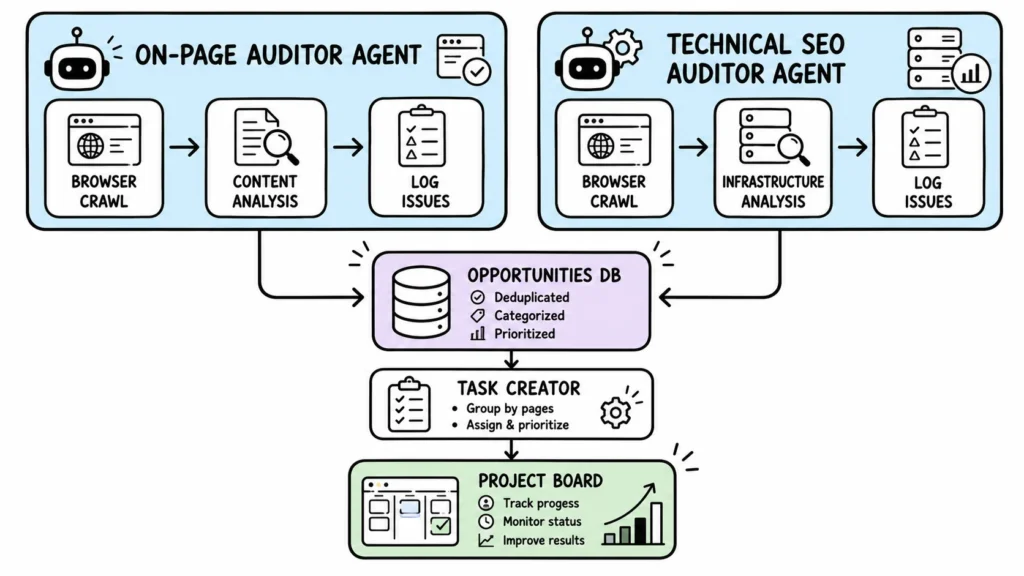
When you set a domain on any project in visibility.so, the system automatically provisions two audit agents. No configuration needed. No clicking around.
Agent 1: On-Page Auditor
This agent uses a real browser to inspect each page visually. It checks:
- Heading structure — Are H1 tags present? Is the hierarchy correct?
- Meta tags — Titles, descriptions, Open Graph, Twitter Cards — present and optimized?
- Content quality signals — Thin content, duplicates, keyword cannibalization
- Internal linking — Orphan pages, broken links, anchor text distribution
- Image optimization — Missing alt text, oversized images, missing compression
- Schema markup — Present? Correct type? Complete?
Agent 2: Technical SEO Auditor
This agent focuses on infrastructure-level signals:
- Crawlability — Robots.txt directives, noindex tags, canonical chains
- Indexing coverage — Sitemap completeness, orphan pages, URL parameter handling
- Core Web Vitals — LCP, INP, CLS — measured from an actual browser render
- Structured data — JSON-LD validation, required fields, rich results eligibility
- Performance — Render-blocking resources, server response times, compression
- Security — HTTPS enforcement, mixed content warnings, redirect chain length
Before building these agents, we ran a market simulation using MiroFish to validate demand. The results confirmed that automated execution — not more analytics — is what SEO teams actually need.
How an Audit Run Works (Step by Step)
Every audit follows the same execution flow. Here’s exactly what happens from trigger to completion.
Step 1: Scheduled Trigger
The system’s scheduler checks every project’s audit schedule. When it’s time, it wakes up the assigned agent and passes it the context it needs:
- Which project and domain to audit
- What kind of audit to run (on-page or technical)
- A list of issues already discovered in previous runs (so the agent skips duplicates)
- The company’s broader SEO goals (soft context for prioritization)
Step 2: Agent Spins Up with Browser Access
The agent starts in its own isolated environment with a full browser session. Unlike traditional crawlers that only send HTTP requests and parse HTML, a real browser means the agent can:
- Render JavaScript-dependent content that HTTP crawlers miss
- Measure actual Core Web Vitals from real browser metrics
- Detect lazy-loading issues and dynamic content gaps
- Follow single-page application routes that require client-side rendering
- Capture visual evidence for every issue found
Step 3: Intelligent Crawling
The agent doesn’t just crawl every URL it finds. It uses a prioritized approach:
- Start with the sitemap (if available) — ensures full coverage
- Follow internal links from high-authority pages first
- Check canonical URLs and redirect chains
- Stop when it has enough data or reaches configured limits
For a typical 10,000-page site, this takes roughly 40–50 minutes.
Step 4: Issue Detection
As the agent renders each page, it checks against a defined set of SEO best practices. Every finding gets classified:
| Classification | Meaning | Example |
|---|---|---|
| Critical | Directly impacts rankings or user experience | Missing H1 on homepage, broken 404 crawl path |
| High | Significant opportunity | Slow LCP (>4s), missing meta descriptions on key pages |
| Medium | Worth fixing, not urgent | Thin content pages (<300 words), missing alt text |
| Low | Nice to have | Minor schema markup improvements |
Step 5: Dedup — No Repeat Issues
Before logging any findings, the agent checks against the existing issues from previous runs. If an identical issue already exists — same URL, same category, same problem — it’s skipped automatically.
This means your team never sees the same broken link reported 12 weeks in a row. Only new issues surface each week.
Step 6: Task Creation (Automatic)
For critical and high-severity issues, the agent creates a task directly in your project board. The task includes:
- The issue description and affected URL
- Severity classification
- Suggested fix
- Screenshot evidence (where applicable)
From there, it behaves like any other task — assign it to a team member, link it to a project, track it through completion.
The Safety Systems
We built two safeguards to ensure audits run reliably without requiring manual oversight.
Safeguard 1: Staggered Weekly Schedules
Every project’s audit is pinned to the day and hour it was created. If you set up a project on a Wednesday at 2:30 PM, the audit runs every Wednesday at 2:30 PM. Another project created on Friday at 10 AM runs every Friday at 10 AM.
This prevents every single tenant from running audits at the exact same time (imagine 1,000 projects all firing at Monday 3:00 AM). The load spreads naturally across the week.
Safeguard 2: Automatic Pause on Archive
If a project is archived or its domain is cleared, the audit tasks are automatically paused within an hour. You don’t need to manually cancel anything — the system detects the state change and stops the recurring schedule.
And if you unarchive the project or reset the domain, the audits resume automatically from the next scheduled tick.
Concurrency Protection
If the previous week’s audit is still running (possible on very large sites), the new run is skipped rather than stacked. No duplicate runs. No wasted compute.
Comparison: visibility.so vs Traditional Approaches
| Capability | visibility.so Agents | Desktop Crawler | Manual Audit |
|---|---|---|---|
| Recurring schedule | ✅ Weekly, automatic | ❌ Manual trigger | ❌ You remember to run it |
| JavaScript rendering | ✅ Full browser | ❌ HTTP-only | ✅ Manual inspection |
| Issue prioritization | ✅ Built-in scoring | ❌ Raw data dump | ✅ But takes hours |
| Task creation | ✅ Auto-creates from issues | ❌ CSV export only | ❌ Copy-paste manually |
| Dedup across weeks | ✅ Skips known issues | ❌ Same issues every export | ❌ Memory-dependent |
| Auto-pause on archive | ✅ Handled automatically | ❌ Not applicable | ❌ Not applicable |
| Time per audit | ~47 min (10k pages) | ~35 min crawl + 3 hrs analysis | ~2–3 days |
| Cost per audit | Included in $99/mo | £149/year (one-time) | ~$800 in billable hours |
What This Means for Your SEO Workflow
The goal isn’t to replace SEO professionals — it’s to eliminate the administrative work that consumes 60% of their time.
With visibility.so’s audit agents:
- Audits run automatically every week. Fresh findings every Monday morning.
- Issues become tasks automatically. No copy-paste between tools.
- Duplicates are suppressed. The same broken link won’t be reported twice.
- Critical issues get immediate attention. High-severity findings create tasks in your board.
- Historical tracking is built in. You can see when issues were found, when they were fixed, and if they reappeared.
The SEO specialist’s job shifts from running audits to deciding what to fix first and verifying that the fixes worked.
For a broader look at how AI is reshaping search beyond technical audits, check out Agentic SEO: The Shift From Rankings to AI Visibility.
From 3 Days to 47 Minutes
Here’s a real audit timeline from visibility.so:
| Time | Event |
|---|---|
| Monday 02:00 UTC | The scheduler triggers the technical audit agent |
| 02:01 UTC | Agent receives project context and existing issues list |
| 02:05 – 02:47 UTC | Agent crawls the site using a real browser — renders pages, measures Core Web Vitals |
| 02:47 UTC | Agent logs 14 new opportunities: 3 critical, 5 high, 6 medium |
| 02:48 UTC | Agent creates 3 critical tasks, assigned to the appropriate team |
| 08:30 UTC | Team reviews findings in the project board |
| 09:15 UTC | Dev team picks up the first critical task |
Agent time: 47 minutes. Human time: 45 minutes (review + prioritize).
Compare that to the manual cycle: 3 days for the audit + 4 hours for prioritization = ~28 hours.
That’s a 96% reduction in time-to-action.
Ready to Automate Your Technical SEO Audits?
visibility.so is in limited early access. Set a domain on any project, and two audit agents are automatically provisioned and scheduled.
- 7-day free trial — no credit card required
- 10 AI agents are included in the Starter plan
- On-page + technical audits run weekly without any configuration
- All costs included — AI APIs, DataForSEO data, browser sessions — one flat fee
Pricing starts at $99/month. Early users are grandfathered at their join rate.
Automated audits are one component of agentic SEO. Read the complete guide.
Frequently Asked Questions
Do I need to configure the audit agents?
No. Set a domain on any project, and both audit tasks are created and scheduled automatically. No configuration required.
Can I customize what the agents check?
Both agents follow preset checklists covering on-page and technical SEO best practices. Custom audit configurations are on the roadmap — join our Discord to follow progress.
How does dedup work?
Each audit run receives a list of issues already logged from previous runs. The agent compares its findings against this list and skips anything that already exists — same URL, same category, same issue type.
What if my site has thousands of pages?
The agent crawls systematically, starting with the sitemap and high-authority pages. A 50,000-page site may take 2–3 hours. Concurrency protection ensures runs don’t stack if one is still in progress.
Can agents fix issues automatically?
Currently, agents log issues and create tasks. WordPress integration allows agents to publish content (with approval workflows), and GitHub integration lets them open PRs. Direct automated fixes for technical SEO issues are on the roadmap.
How is this different from Screaming Frog?
Screaming Frog is a desktop app that produces CSV exports. visibility.so’s agents run in the cloud on a weekly schedule, use a real browser (rendering JavaScript), log findings as trackable tasks, and never report the same issue twice. Also, you don’t need to remember to run it.
What's included in the $99/month Starter plan?
3 projects, 10 AI agents, 30 keyword tracking keywords, 60 AI visibility prompts. All AI API costs and DataForSEO data are included — one flat fee.