Quick answer
To install MiroFish, clone the open-source MiroFish repo from GitHub, install Python dependencies with uv pip install -r requirements.txt, install frontend packages with npm install, create a .env file with your OpenAI, Gemini, and Zep Cloud API keys, then run uv run python app.py for the backend and npm run dev for the React frontend. Total setup takes about 15 minutes.
Want to learn how AI agents automate SEO audits? Read the deep-dive
This is the technical deep dive behind my AI market simulation post. If you want to run your own MiroFish simulation for a SaaS launch or product idea, this guide walks through the exact stack, prompts, and configuration I use.
The Full Stack: Tools, Prompts & Architecture
Tools Used
Here’s the stack I’m running right now for startup‑style market simulations:
| Layer | Tool | Purpose | Cost |
|---|---|---|---|
| Simulation engine | MiroFish | Core multi-agent simulation framework | Open source |
| Graph memory | Zep Cloud | Knowledge graph + long‑term memory | Free tier |
| Primary LLM | GPT‑4o‑mini | Ontology generation, report writing | ~$0.01/run |
| Secondary LLM | Gemini 2.0 Flash | Agent personas, simulation turns | Free tier |
| Frontend | Vite + React | Simulation dashboard UI | — |
| Backend | Flask + Python | API, simulation orchestration | — |
| Package managers | uv (Python) + npm | Dependency management | — |
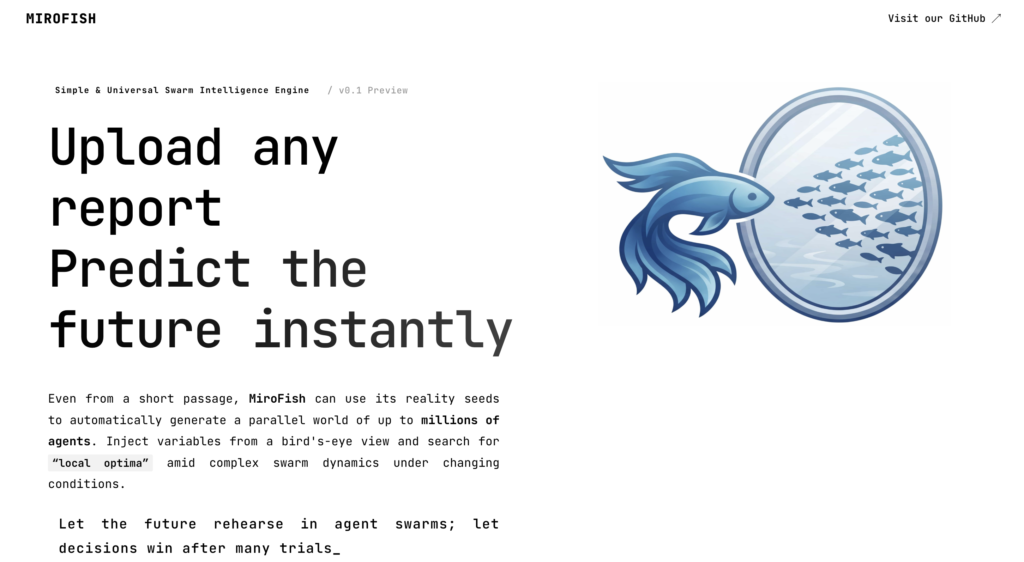
MiroFish itself uses GraphRAG, OASIS, and Zep under the hood, and can talk to any OpenAI‑compatible LLM backend.
Mirofish Architecture Overview
Here’s the end‑to‑end flow for a single run:
- Seed document (
.md,.pdf,.csv) - Ontology generator (GPT‑4o‑mini) builds structured concepts and entities
- Zep Cloud GraphRAG extracts entities and relationships and builds a knowledge graph
- Persona generator (Gemini 2.0 Flash) creates 44 agent profiles
- OASIS simulation engine runs 10 rounds × 44 agents on a Twitter/Reddit‑style social graph
- Report agent (GPT‑4o‑mini) synthesizes adoption curves, objections, and narratives
- Final report exported for humans (you) to read and act on
In MiroFish terms, this roughly maps to: Graph building → Environment setup → Simulation → Report generation.
For the full walkthrough, see our MiroFish AI guide — prompts, setup, and interpreting results.
Prerequisites & System Requirements
| Category | Requirement |
| Python Version | Python 3.10+ |
| JavaScript Runtime | Node.js 18+ |
| Package Manager | uv (brew install uv) |
| Memory (RAM) | 8 GB RAM minimum |
| Required API Keys | OpenAI API Key, Google AI Studio Key (free tier) |
| Memory Services | Zep Cloud Account (free tier) |
The Seed Document (Most Important Input)
Your seed document decides how smart and grounded the simulation feels.
Think of it as a market research brief plus narrative context.
Suggested structure:
# [Product Name] — Market Research Brief

## Executive Summary
What the product does, who it's for, what problem it solves.

## The Problem Space
Specific pain points per user segment.
Include numbers, time lost, costs, existing hacks.

## Target User Segments
For each segment:
- Who they are (geo, seniority, stack/tools)
- Their specific pain
- Price sensitivity
- How they discover new tools
- Named personas with brief backstory

## Competitive Landscape
Direct + indirect competitors, pricing,
where they’re strong/weak, switching triggers.

## Product Overview
Core value prop, feature set, pricing model,
onboarding assumptions.

## Key Industry Debates
Controversial topics in your space that agents
will naturally argue about.
The more named personas with backstory you include, the richer the agent profiles Zep + MiroFish can extract from the text.
The Simulation Prompt
You don’t start the simulation with “prove my idea is good.”
You start with a scenario prompt that invites real disagreement and behavior.
Template:
[Product] has just [launched / announced / pivoted].

How do different user segments react?
- Who adopts immediately, and why?
- Who hesitates, and what are their objections?
- What does the dominant narrative look like in
  [Reddit / Twitter / Slack communities] in the first 30 days?
- How do users in [geography A] respond differently
  from users in [geography B]?
- What would need to be true for [conversion event]
  to succeed?
Good prompts are:
- Anchored to a specific event (launch, pricing change, feature deprecation).
- Focused on behavior, not vibes.
- Include a segment or geography contrast.
- End with a conversion‑style question (trial signups, team adoption, etc.).
This prompt goes into MiroFish as part of the “prediction requirement” for the simulation run.
LLM Routing Strategy (Cheap vs. Good)
Don’t use one model for everything. I split it like this:
- High‑stakes, low‑volume → GPT‑4o‑mini
- Ontology generation (1 call per run)
- Final report synthesis (1 call per run)
- High‑volume, lower‑stakes → Gemini 2.0 Flash (free)
- Agent persona generation (1 per agent)
- Simulation turn decisions (1 per agent per round)
- Memory / graph retrieval calls
Why: running the whole thing on a small local model or only a 7B often gives shallower reasoning and flatter personas. Agents that should be skeptical aren’t, and cultural nuance gets lost. For anything that might impact your roadmap, the extra cent is worth it.
This routing strategy is one component of a broader agentic SEO approach.
.env Configuration
A minimal environment configuration looks like this:
# Primary — quality tasks
LLM_API_KEY=sk-proj-...
LLM_BASE_URL=https://api.openai.com/v1
LLM_MODEL_NAME=gpt-4o-mini

# Secondary — high-volume tasks
LLM_SECONDARY_API_KEY=AIza...
LLM_SECONDARY_BASE_URL=https://generativelanguage.googleapis.com/v1beta/openai
LLM_SECONDARY_MODEL_NAME=gemini-2.0-flash

# Memory graph
ZEP_API_KEY=z_...
MiroFish accepts any OpenAI‑compatible backend, so you can also swap in Qwen or other providers later if you want to experiment.
RAM & Cost Reality Check
On my setup, the trade‑offs look like this:
| Setup | RAM used | Cost per run | Quality |
|---|---|---|---|
| Local 7B (LM Studio) | 4.5–5 GB | $0 | Medium |
| Gemini only | 0 MB | ~$0 | Good |
| GPT‑4o‑mini only | 0 MB | ~$0.06 | Good |
| GPT‑4o‑mini + Gemini (hybrid) | 0 MB | ~$0.01 | Best |
Local 12B/7B on a MacBook Air is doable but makes the machine sluggish and still doesn’t match the reasoning depth of the hybrid cloud setup. Similarly, if you want, you can try better models than GPT-4o.
Estimated Time Per Run
Rough timings for a ~15K‑character seed doc, 44 agents, 10 rounds:
| Phase | Time |
|---|---|
| Seed doc upload + ontology | 1–2 min |
| GraphRAG build (Zep) | 7–10 min |
| Persona generation (44 agents) | 1–2 min |
| Simulation (10 rounds) | 4–6 min |
| Report generation | 30–60 sec |
| Total | ~15–20 min |
GraphRAG is the longest step and runs on Zep’s servers — your local machine is basically idle while that happens.
When to Use This Setup
This exact stack works well if you want to:
- Simulate product launches and positioning changes.
- Model campaign reactions across different geos and segments.
- Stress‑test pricing changes or policy decisions.
If you just want to play with small worlds or narrative simulations, you can reduce it to a single model and skip routing. For anything that’s meant to shape real roadmap decisions, I’d keep the hybrid GPT‑4o‑mini + Gemini approach.
Once MiroFish is running, try it on your own product idea. Here’s how we validated visibility.so
Related Tutorials
- How to Use Mirofish for Market Simulations
- Self-Hosted AI Agent on AWS
- Multi-Agent Engineering Team
- Socraticode Case Study
- HermesAgent vs OpenClaw
- What Is Agentic SEO? Complete Guide 2026
- GEO vs AEO vs Agentic SEO
- GEO Tracking Experiment
Frequently Asked Questions
What is MiroFish and why would a founder use it?
MiroFish is an open-source AI-powered social simulation engine. Instead of guessing how your market will react to a launch, you feed it a market research document, and it simulates real user behavior across 44+ AI agents (Each representing a distinct persona). Founders use it to surface adoption patterns, objections, and word-of-mouth dynamics before spending a single dollar on marketing.
Do I need a powerful machine to run this?
Not anymore. The original setup required a local LLM running in LM Studio (4.5–5 GB RAM). My current hybrid setup routes all LLM calls to cloud APIs( GPT-4o-mini and Gemini 2.0 Flash). So your machine only runs the lightweight Flask backend and Vite frontend. RAM usage from MiroFish itself is under 200 MB.
How much does it cost to run a simulation?
Approximately $0.01 per full simulation run using the hybrid model setup (GPT-4o-mini for quality tasks + Gemini 2.0 Flash free tier for high-volume tasks). If you run 100 simulations in a month, expect to spend around $1 on OpenAI. Gemini’s free tier covers the bulk of the calls.
What's the difference between the primary and secondary LLM?
– Primary (GPT-4o-mini) — handles ontology generation and the final report. These are low-volume but high-stakes calls that need structured, coherent output.
– Secondary (Gemini 2.0 Flash) — handles agent persona generation and all simulation turn decisions. These are high-volume (100+ calls per run) but individually simpler tasks where Gemini’s free tier works
well.
Does using a cheaper model affect simulation quality?
Yes, significantly. Running the same simulation on a local 7B model produces shallower agent reasoning – personas that should be skeptical aren’t, and cultural nuance across geographies gets flattened. For decisions that affect your roadmap or positioning, the quality difference is worth the ~$0.01 cost.
What is the GraphRAG build and why does it take so long?
GraphRAG is the knowledge graph construction step powered by Zep Cloud. It reads your seed document, extracts entities (people, companies, tools, communities), infers relationships between them, and stores everything as a graph. For a 15,000-character document it typically produces ~97 nodes and ~166 edges, taking 7–10 minutes. This runs entirely on Zep’s servers – your machine does nothing during this time. You only need to do it once per seed document.
What should I put in my seed document?
Your seed document is the most important input. It should include:
– Executive summary of your product and market
– Specific pain points per user segment with real numbers
– Named personas with backstory, geography, and behavior patterns
– Competitive landscape with pricing and weaknesses
– Key industry debates and controversies
The more named personas with backstory you include, the richer the simulation agents become.
Can I reuse the same graph for multiple simulations?
Yes. Once the GraphRAG build is complete, the graph is saved in Zep Cloud. You can create multiple simulations on the same graph with different prompts without rebuilding. Only rebuild if you change the seed document.
What platforms does the simulation run on?
MiroFish supports Twitter-style and Reddit-style platforms. Twitter agents can create posts, like, repost, follow, quote, or do nothing. Reddit agents can additionally comment, search, trend, and mute. You can enable both simultaneously for a richer simulation.