How I Built My Own Private AI Agent “Amit” Using AWS, Coolify & OpenClaw
Self Hosted AI Agent on AWS – My Complete Setup
A self hosted AI Agent on AWS gives you full control over infrastructure, privacy, and experimentation. In this post, I’ll share how I built my own private AI assistant, Amit, using OpenClaw, Coolify, and Discord. So this is the story of how I deployed OpenClaw using Coolify on AWS and created my personal AI agent named Amit.
Why I Decided to Build My Own AI Agent
I wear a few different hats as a Program Manager at Acodez, a Product Manager at Acowebs, and the CTO of Rankth. My day-to-day is usually a mix of product strategy, technical architecture, and a lot of AI experimentation. Even though there are plenty of AI tools available right now, I wanted total control over my hosting and privacy without dealing with the typical limits you get with a third-party service. Because of that, I just decided to build my own AI system from scratch.
Building a Self Hosted AI Agent on AWS allowed me to experiment with AI infrastructure without depending on third-party platforms.
The setup looks like this:
AWS EC2 (t3.medium)
⬇
Coolify (Self-hosted PaaS)
⬇
OpenClaw Bot (Docker deployment)
⬇
Discord Interface
Simple. Clean. Fully controlled.
Step 1: Launching AWS Infrastructure
I created a new account on Amazon Web Services and launched a t3.medium EC2 instance.
Why t3.medium?
- 2 vCPU
- 4GB RAM
- Balanced performance
- Suitable for container-based AI tools
As a bonus, using a fresh account gave me $100 free credits(max upto $200 i guess), which made experimentation cost-effective.
This is something I recommend for tech leaders who want to experiment without heavy financial risk.
Step 2: Installing Coolify (The Smart Move)
Instead of spending hours manually wrestling with Docker, Nginx, and SSL certificates, I switched to Coolify.
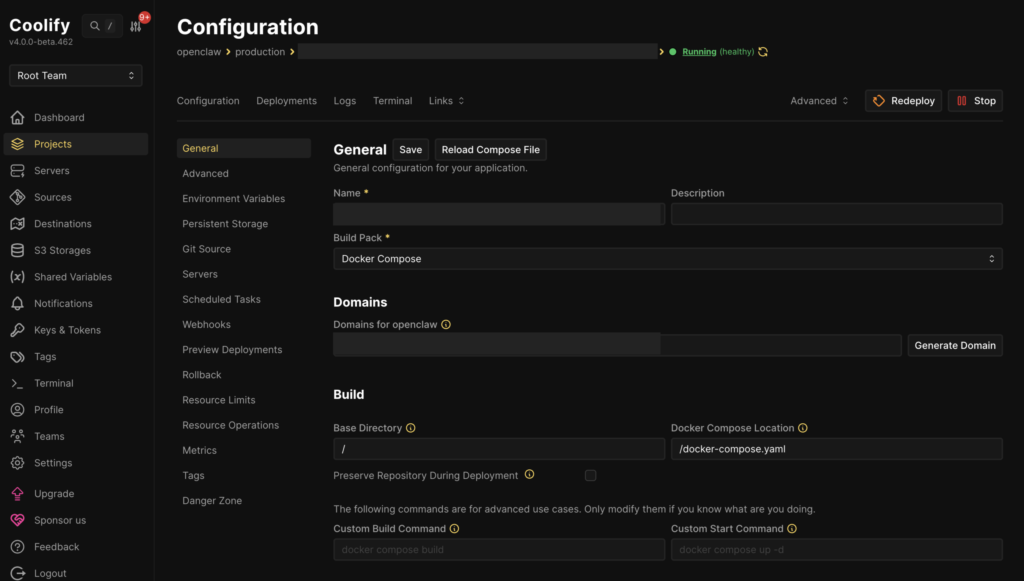
It’s an open-source, self-hosted alternative to platforms like Heroku or Vercel that basically automates the entire DevOps side of things. Now, I get one-click deployments and seamless GitHub integration through a clean UI that manages all my containers for me. It’s a total lifesaver that has saved me a massive amount of setup time.
Step 3: Deploying OpenClaw via GitHub
For the AI agent framework, I used my friend’s repository hosted on GitHub.
mrbeandev/openclaw-coolifyInside Coolify:
- Create a new Project.
- Connected my GitHub account.
- Selected the repository.
- Added required environment variables.
- Deployed the container.
Within minutes, the OpenClaw bot was running on my server.
No complex scripting. No Kubernetes. No overengineering.
Step 4: Connecting Discord as the Interface
To make the AI agent usable in real-time, I integrated it with Discord.
Why Discord?
- Lightweight interface
- Easy bot token creation
- Instant chat-based workflow
- Multi-device access
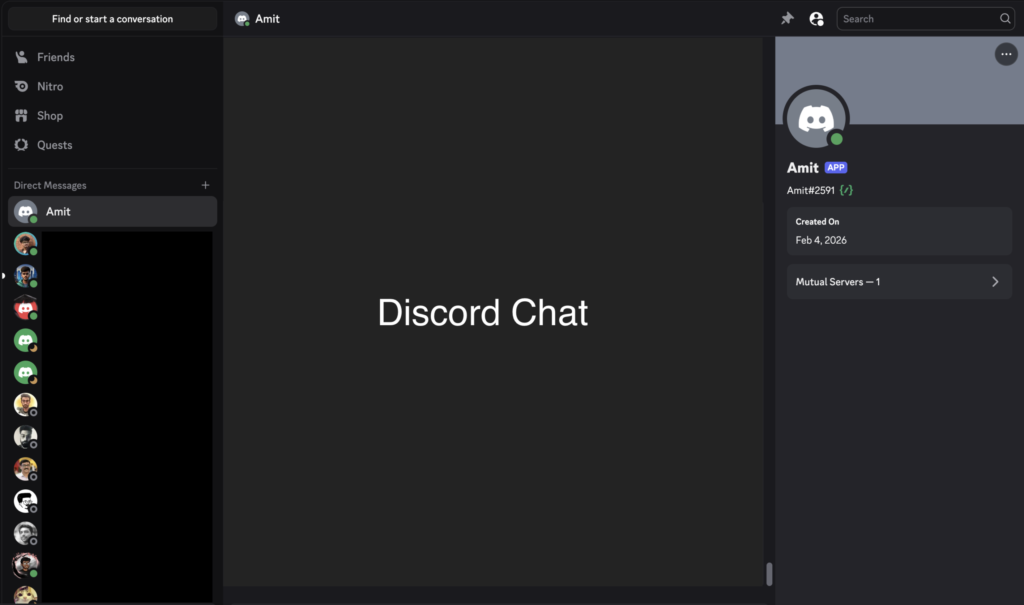
I created a Discord bot, generated a token, added it to the OpenClaw configuration, and invited it to my private server.
That’s it.
Now I could talk to my AI agent like a team member.
Meet “Amit” – My Personal AI Assistant
I named my bot Amit.
I decided to give the AI a name because I think of tools as temporary, but team members as permanent. Now, Amit is a core part of my workflow. Instead of jumping between five different apps, I just talk to him for everything
I use it for:
- 💡 Product idea brainstorming
- 🛡️ Bug bounty discussions
- 🖼️ Image generation
- 📚 Breaking down complex concepts
- 🧪 Testing automation ideas
- 📝 Drafting documentation
Instead of switching between tools, I have a private AI workspace that I fully control.
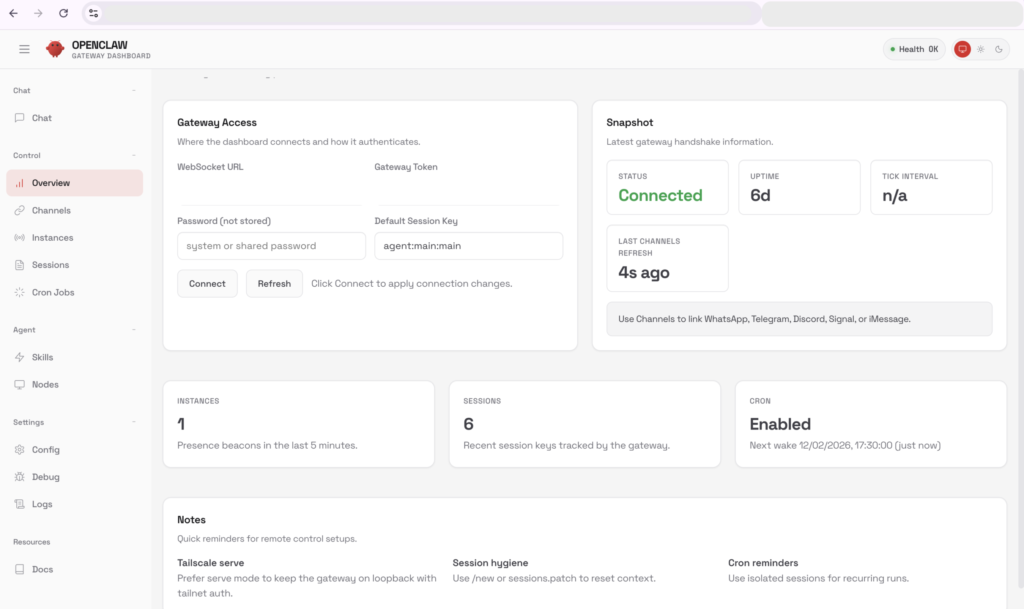
Why This Matters For Us?
Most people know how to use AI, but very few people actually know how to deploy it. There is a massive difference between the two.
When you host your own system, you aren’t just a user anymore, you’re the architect. You get to understand the underlying infrastructure, control your own costs, and keep your data secure. More importantly, it gives you the freedom to experiment without worrying about a SaaS platform’s limits or dependencies. A Self Hosted AI Agent on AWS is not just a tool, it becomes part of your technical architecture strategy.
For product builders and tech leaders, this shift is huge. AI shouldn’t just be something we consume; it’s something we should be building and controlling ourselves.
When you host your own AI system:
- You understand the infrastructure
- You control costs
- You secure data
- You experiment freely
- You remove SaaS dependency
For product builders and technical leaders, this mindset shift is important.
AI should not just be consumed. It should be architected.
Security & Privacy Advantage
From a security standpoint, running a Self Hosted AI Agent on AWS ensures full ownership of data and API credentials. Because everything runs on my own AWS server, I don’t have to “trust” a random company with my data—I own it. My conversations stay private, and my API keys are never stored on someone else’s platform. This setup gives me total peace of mind because I’m the one in charge of the environment. For any team building internal tools, this is the best way to stay secure while keeping things flexible.
The real benefits of owning the setup:
- Full customization: You can make the system as fast or as powerful as you need without asking for permission.
- You own the data: Your private ideas and chats never leave your own server.
- No surprise changes: You don’t have to worry about a SaaS company changing their privacy rules or raising prices overnight.
- Safe from big breaches: If a major AI service gets hacked, your data isn’t at risk because it’s stored separately in your own vault.
If you are serious about AI experimentation, deploying a Self Hosted AI Agent on AWS is the smartest starting point.
Frequently Asked Questions (FAQs)
-
What is OpenClaw and why should I use it?
OpenClaw is an open-source AI agent framework that allows you to deploy your own AI chatbot on your server. Instead of using public AI platforms, you can host, customize, and control your own AI assistant.
-
Why did you use AWS for hosting OpenClaw?
I used Amazon Web Services because:
It’s reliable and scalable
Easy to launch EC2 instances
Free credits are available for new accounts
Suitable for experimentation
A t3.medium instance was sufficient for my setup. -
Why did you choose Coolify instead of manual Docker setup?
Coolify simplifies deployment by:
Handling Docker automatically
Managing SSL certificates
Providing GitHub-based deployment
Offering a clean dashboard
It saves significant DevOps setup time, especially for product leaders who want fast deployment. -
Can I install OpenClaw without Coolify?
es, you can manually deploy OpenClaw using Docker and configure Nginx, SSL, and environment variables yourself.
However, Coolify simplifies this process and reduces infrastructure complexity. -
How did you connect the AI bot to Discord?
I created a bot application inside Discord Developer Portal, generated a bot token, and added it to the OpenClaw environment variables.
Once deployed, I invited the bot to my server, and it started responding instantly.